GC3/BLP Calibrating Accelerometer

GC3/BLP Calibrating Accelerometer

Below are steps on how to calibrate the GC3 and BLP accelerometer.

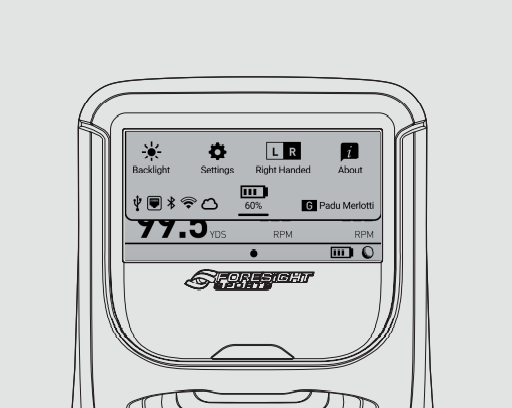
  1. Access the "Quick Settings"
    GC3 Settings
  2. Tap "Settings"
  3. Swipe to the left
  4. On the second page tap "Diagnostics" 
  5. In Diagnostics tap "Sensors"
  6. In Sensors tap "CALIBRATE ACCEL"
    • Related Articles

    • GC3/BLP Power Supply Specifications

      Failure to use a proper power supply may result in damages to your device, voiding the warranty. This can potentially damage the Main Board within the device, which is a costly repair. To avoid this, we highly recommend to purchase this item from the ...
    • GC3/BLP How to Turn On/Off Barometer

      This article walks you through how to turn on and off the barometer. Access the "Quick Settings" Tap "Settings" Swipe to the left On the third page tap "Barometer" On the left side of the screen toggle between On or Off
    • Only One iPad App/ iPhone App Can Connect To GCQuad At One Time

      Notice: For the best function and to reduce disconnection during use we recommend only connecting to one device at a time via Wifi. However, The GCQuad firmware does support up to 2 wifi sockets if using the correct Redpine firmware (Quads with ...
    • FSX Pro - Invalid Password/Player Creation Event Failed

      Issue: When signing in to FSX Pro using the "Trial/Subscription" button, and after successfully connecting your LaunchPro: An "Invalid Password/Player Creation Event Failed" message is encountered despite entering your correct FSX Live password ...
    • Indoor vs Outdoor: Why Your Numbers Differ

      Seeing different numbers indoors vs outdoors is normal—it’s almost always the environment, not the launch monitor. What changes between indoors and outdoors Ball type and condition (range balls vs premium; worn balls = inconsistent) Range slope ...