Creative Golf & Golisimo Main Menu

Creative Golf & Golisimo Main Menu

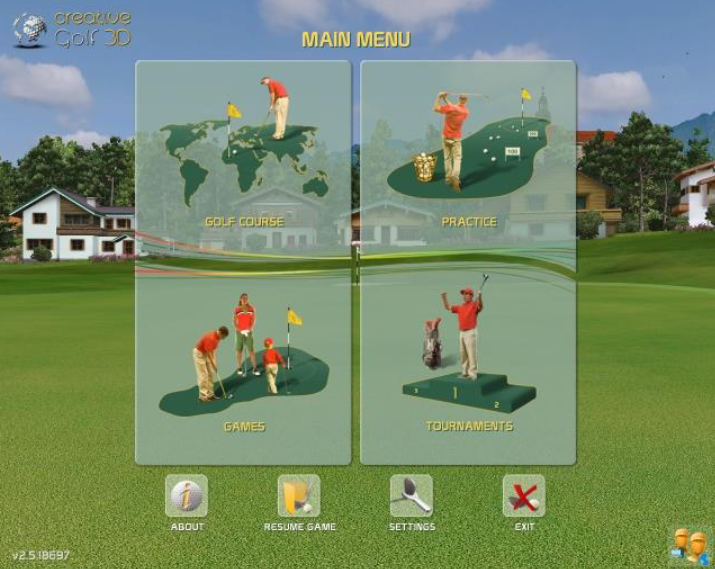
Main Menu:

The Creative Golf 3D®software provides following main features:

mceclip0.png


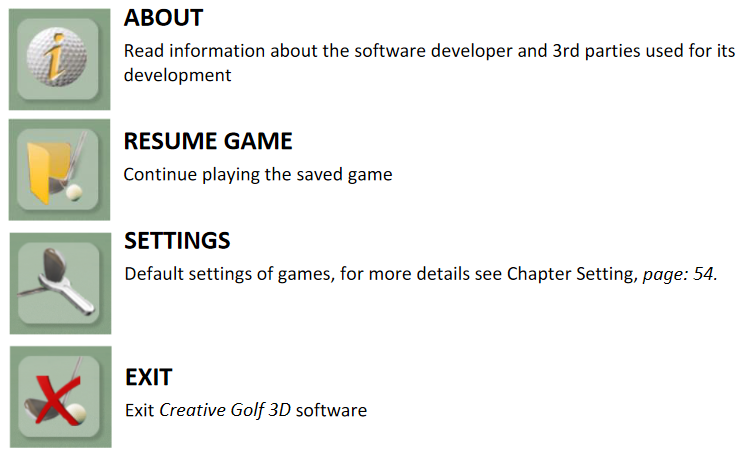
Icons below Main Menu:

mceclip1.png

    • Related Articles

    • Creative Golf Menu and Icons During Play

      Menu and Icons During Play: After expanding the menu (MORE), the following icons appear: Game Statistic Details Postshot The standard type of Postshot is displayed when playing on a golf course or during training (Practice). Fun games have Postshot ...
    • Creative Golf - Playing Golf on a Golf Course

      Start Game - Initial Dialogue: Enter the type of game and data of players, or you can play with default parameters. Fill the dialog box entries to configure your game. Golf Course Choose a golf course you would like to play. The courses with ...
    • Creative Golf Selecting Active Players

      Select Active Players: Before playing golf or fun games, it is advisable to create a list of potential players. These Players can play as "Guests", or "CG3D Members" with personal accounts. Guests can only play on a local computer, they can´t store ...
    • Creative Golf & Golfisimo Online Tournaments

      Online Tournaments: Create New Tournament For creating a new tournament, you have to be logged in with your account. You can set up a tournament with any type of game, and you can also set conditions, golf course and so on. All CG3D Members (with an ...
    • Creative Golf Aiming and Handling of Game

      Aiming and Handling of Game: Direction to play / rotation Default direction (scene view) of the shot on the tee is set to the flag (on PAR3 holes) or to the middle of fairway by optimal drive (PAR4, PAR5). In another position on course, the view and ...